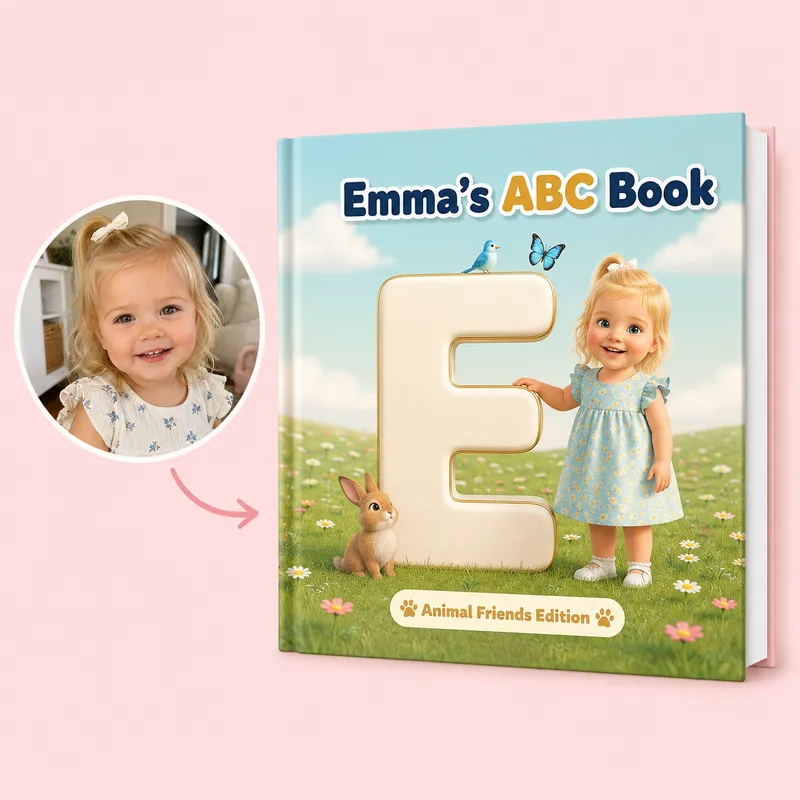
Their First Alphabet Adventure
Turn your child's photo into an illustrated ABC book filled with animals, adventures, everyday discoveries and more.
Create an Alphabet BookUpload a photo of someone you love and turn them into the star of their own beautifully illustrated storybook.
Choose a book, share a few details about them, preview every page, and make changes before you order.
Your photo → Their illustrated character → Their personalized story
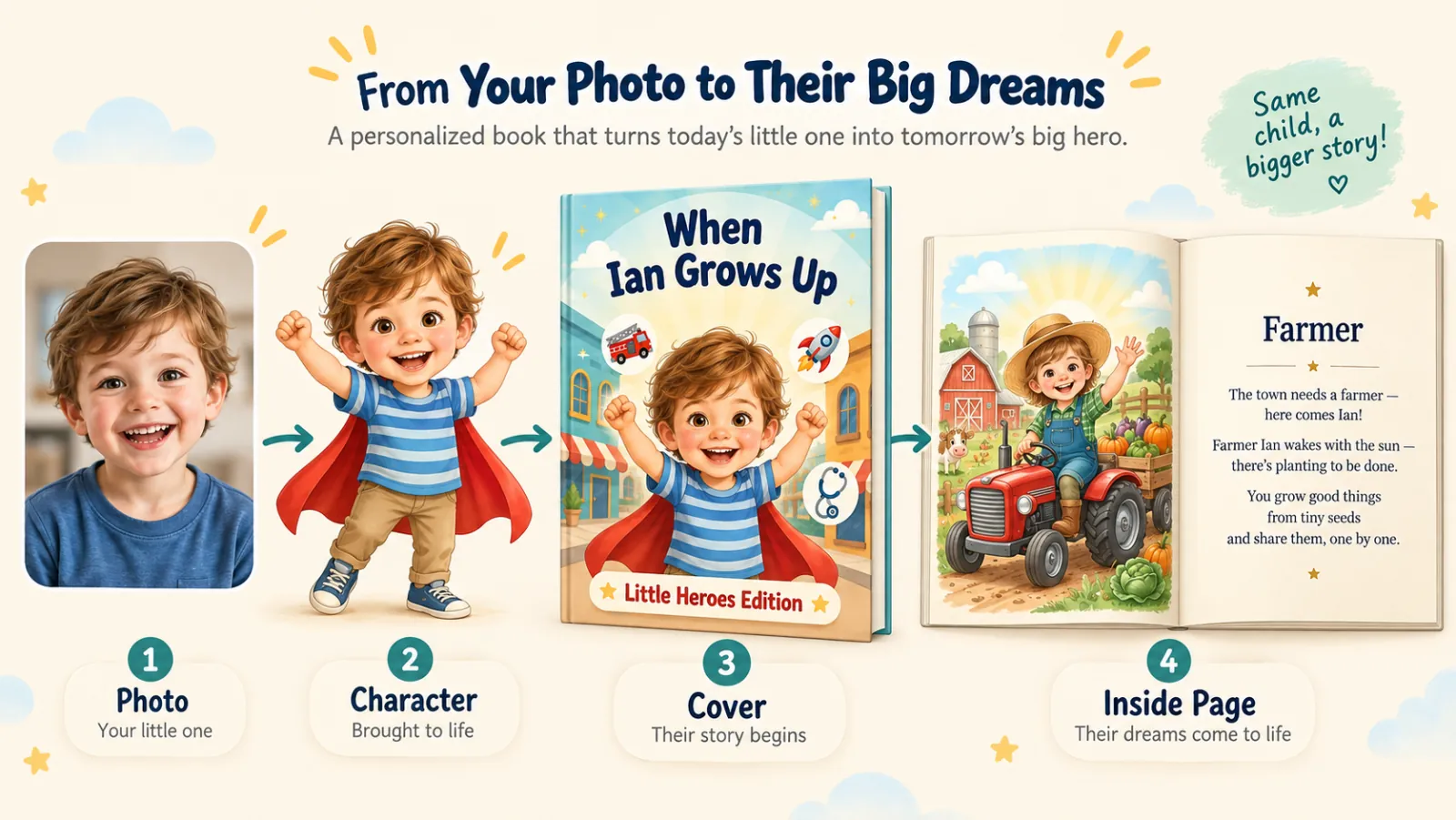
A clear everyday photo is all you need.
We create a storybook character inspired by their appearance.
See them explore, learn, celebrate and share moments with the people they love.
Preview every page and make changes before ordering.
CelebrateAlly doesn't just add a name to a premade story.
We use your photo and the details you share to create illustrated characters inspired by the real people in your life — and make them part of a story created for them.
Their photo. Their personality. Their story.
The same photo can become three different storybook looks. Pick the style that feels most like them — and see it on every page before you buy.
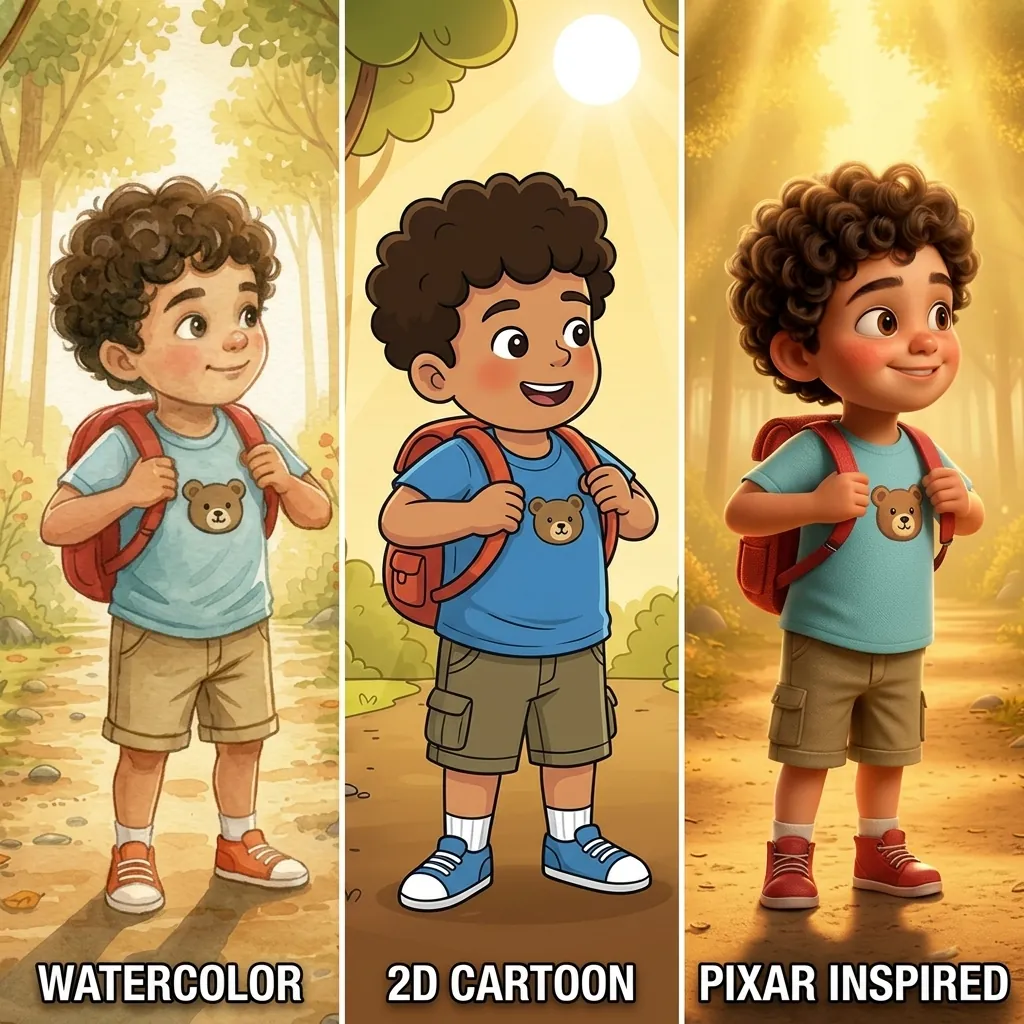
Soft, heartfelt, and timeless — with a gentle keepsake feel.
Bright, cheerful, and full of personality — the most kid-friendly option.
Warm, expressive, and playful — with a polished storybook look.
Pick the story you want to create — from alphabet books and birthdays to grandparents, parents, couples and family keepsakes.
Depending on the book, you can choose:
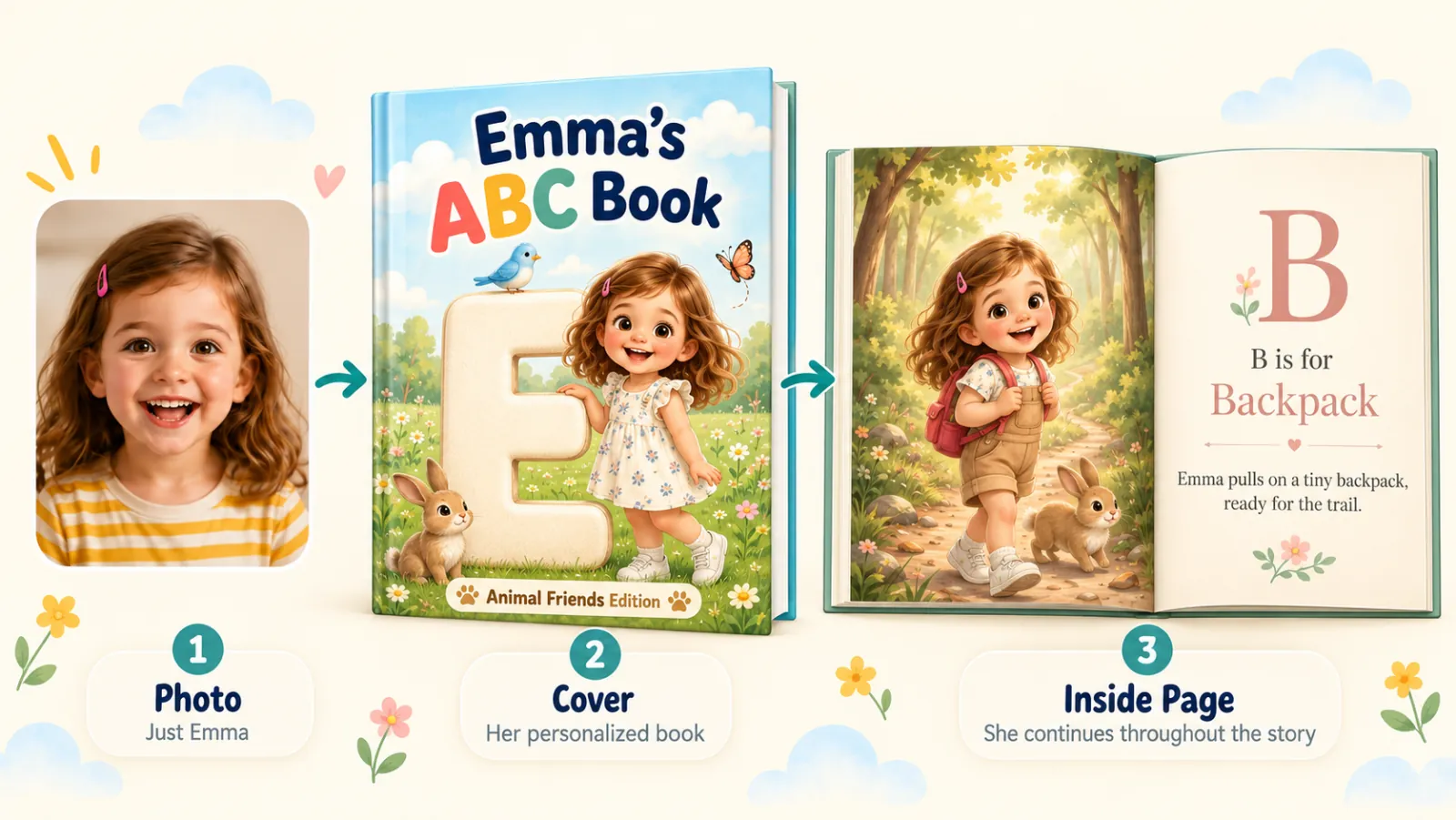
Upload a photo of your child, partner, parent, grandparent or whoever the story is about.
OR
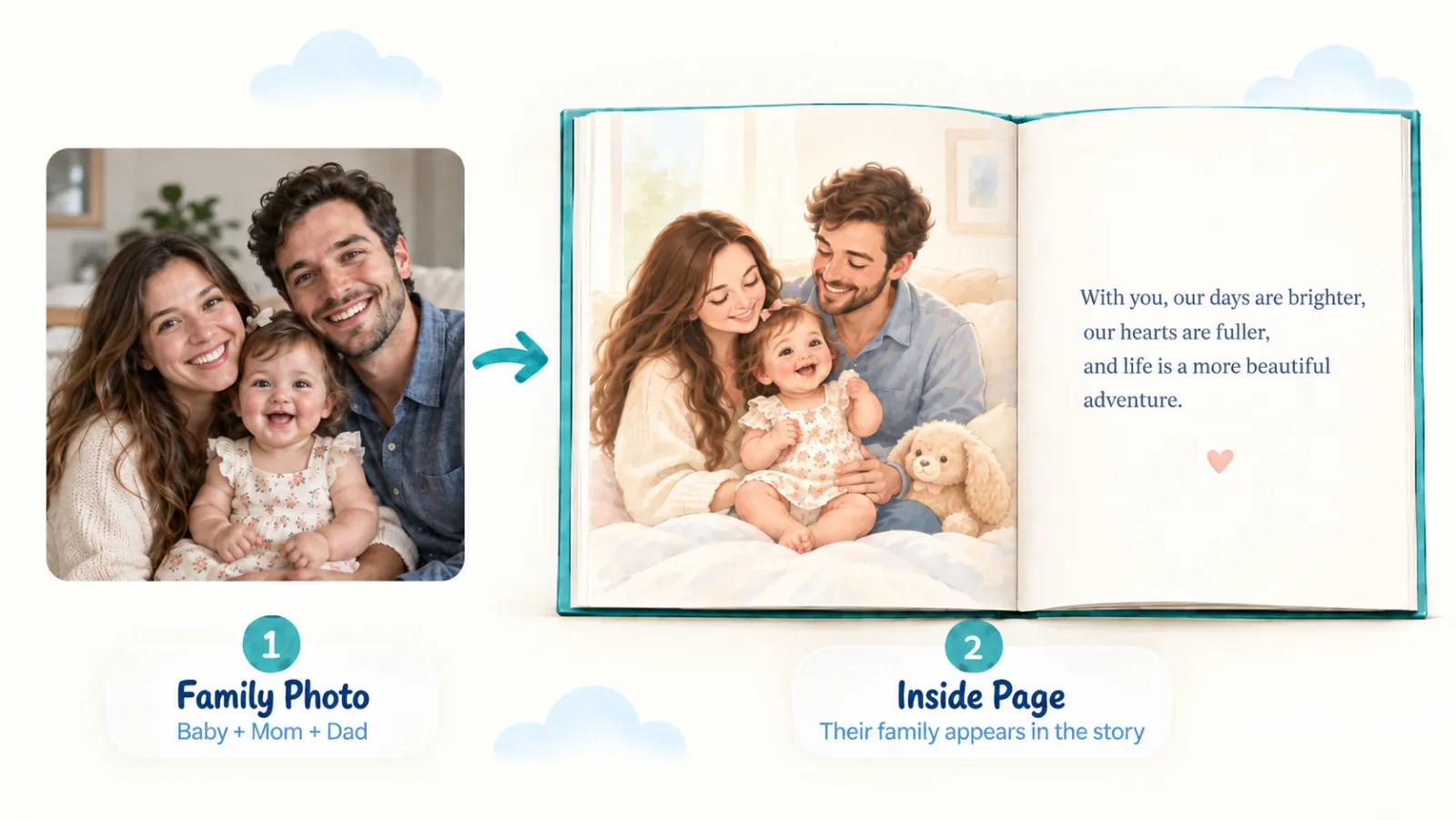
Want Mom, Dad, Grandma, Grandpa or other family members in the story too? For books that support family characters, upload a photo with the people you'd like included and tell us who's who.
Answer a few simple questions about the person you're creating the book for.
Depending on the book, you may tell us about their:
We use those answers to make the story feel like it belongs to them, not just someone with the same name.
We'll turn your photos and answers into personalized illustrations and story pages.
Your character appears throughout the book in different scenes, outfits and adventures while keeping their recognizable features.
You don't have to accept the first version. Preview your entire book before ordering.
Want something changed? You can review your pages, update your personalization and make changes to the story or illustrations before you buy.
Take your time and make the book feel right.
Once you love your book, choose a digital PDF ($14.99) or hardcover keepsake ($49.99).
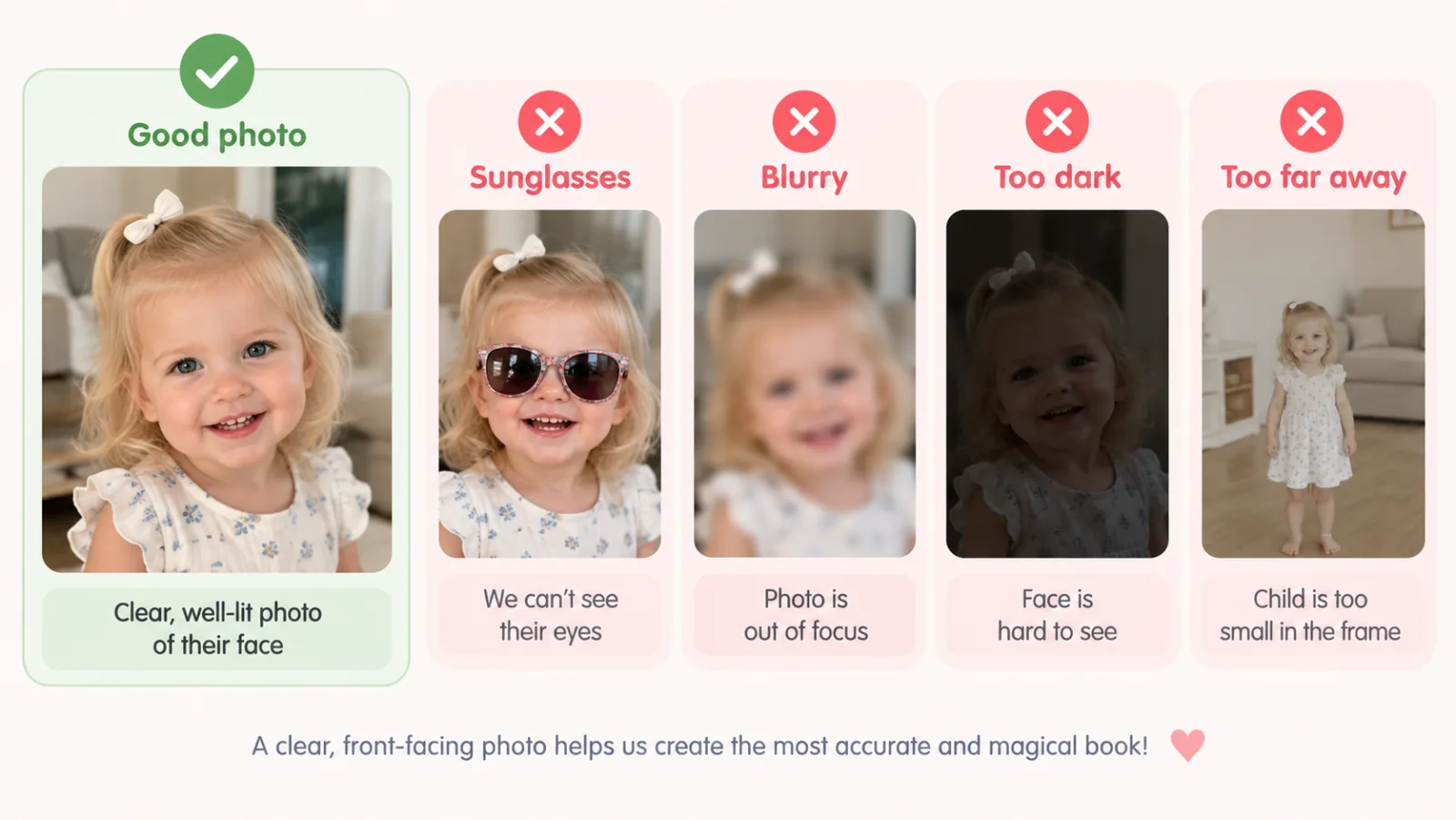
You don't need a professional photograph. A clear photo from your phone usually works great.
The better we can see the person, the easier it is to create an illustration that feels like them.
Some stories are about one special person. Others wouldn't be complete without the people they love.
That's why, depending on the book, CelebrateAlly can let you create a story featuring:
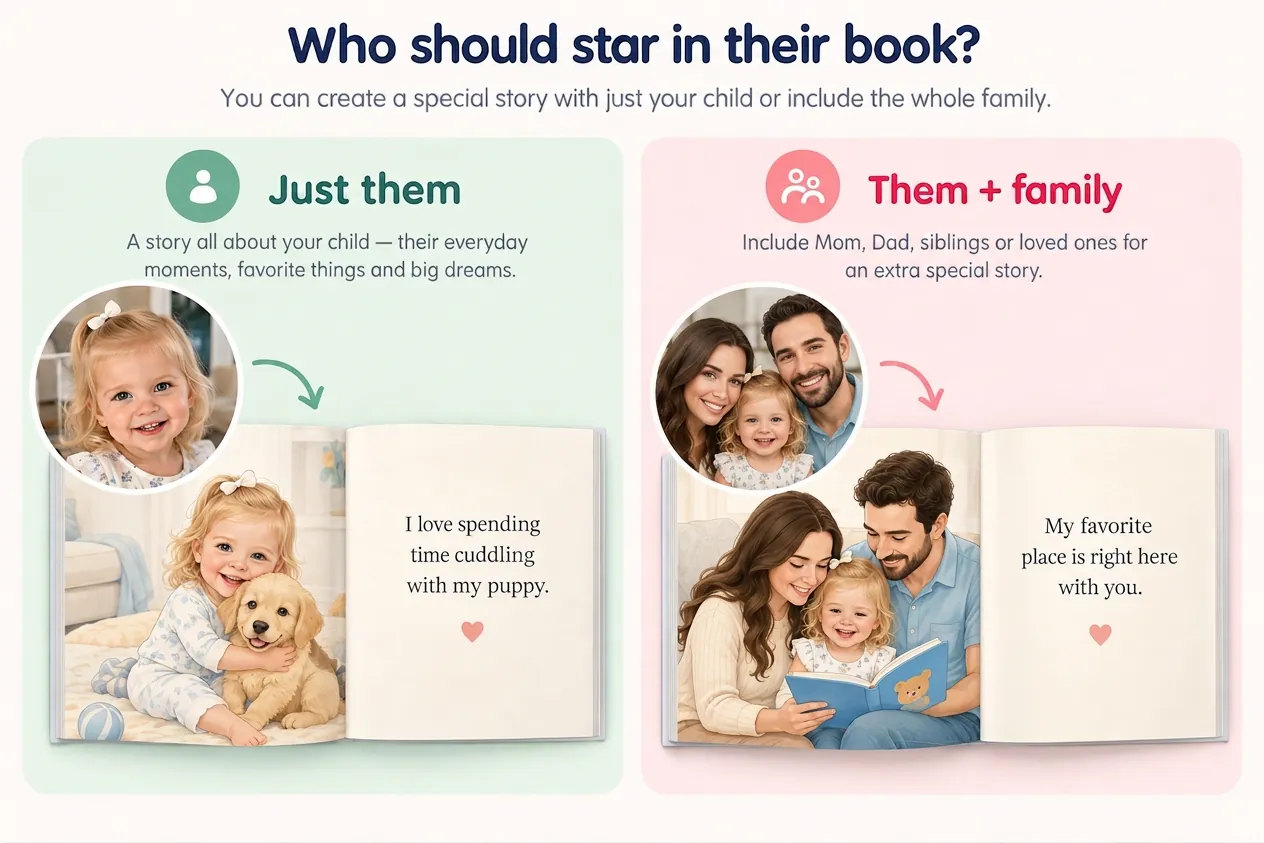
For example, a First Birthday book might feature your baby throughout the story while also including Mom and Dad in family moments.
A Grandma book might feature Grandma and her grandchild together.
A Love Story might include both partners.
We'll ask you who's in the photo so we know who should appear in the book. The photo requirements will be clearly shown when you create your book.
Personalized illustrations should feel like the people they're meant to represent. That's why you can review your book before purchasing it.
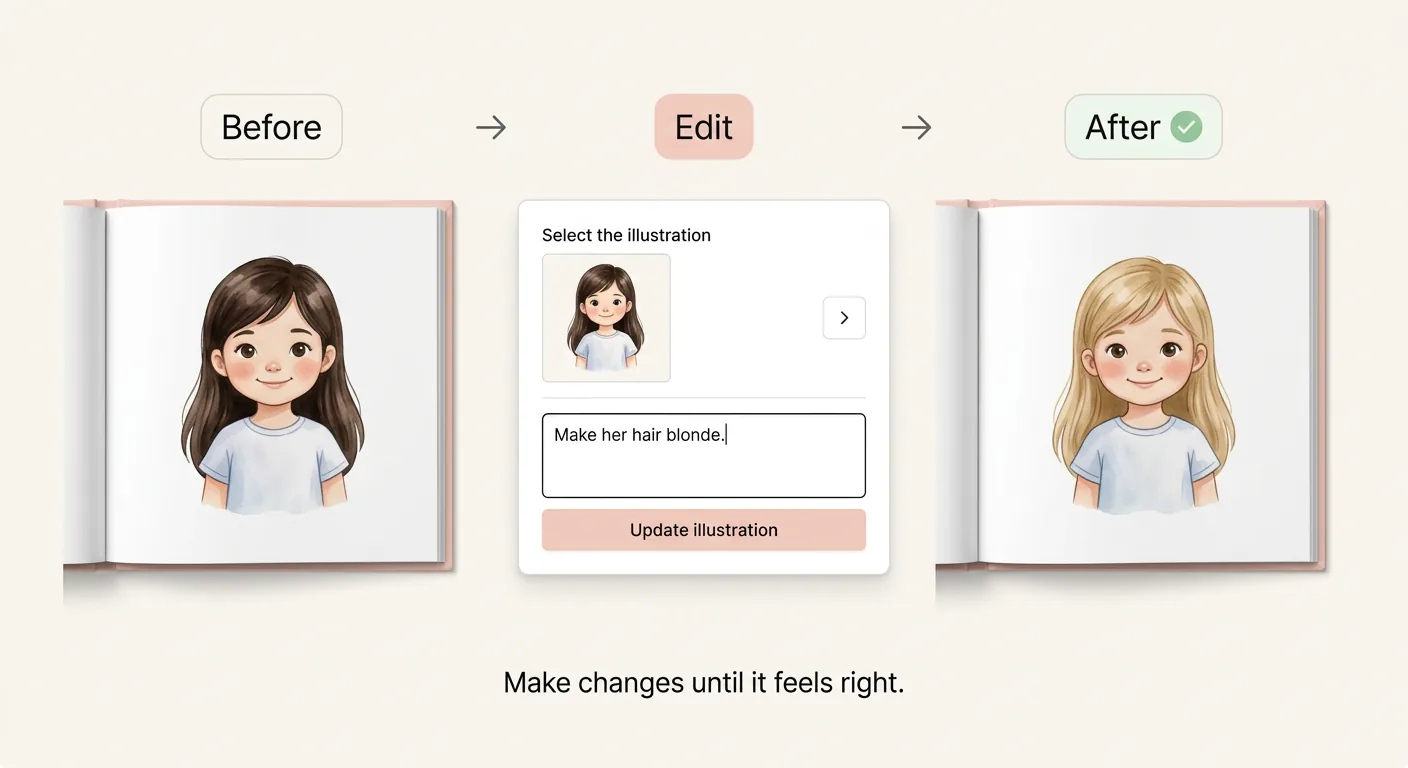
If something doesn't feel right, you can make changes before ordering. For example, you might want to adjust:
Hair color, length or style doesn't look quite right.
The eye color or appearance needs adjusting.
A character needs to look younger, older, taller or more like the original person.
You like the story but want an illustration changed.
You want to change something you told us or rewrite part of the text.
Preview → Review → Edit → Love it → Order
You're not buying a mystery book and hoping it turns out well. You get to see it first.
| Traditional Personalized Books | CelebrateAlly |
|---|---|
| Add their name | Add their name, photo and personal details |
| Pick a premade character | Create a character inspired by their real appearance |
| Mostly the same story | Personalize the story with details about them |
| Limited family personalization | Include family in supported books |
| Limited changes | Review and edit your book |
| See a sample | Preview your personalized pages |
| Order and hope you love it | Review before you decide to buy |
Turn your child's photo into an illustrated ABC book filled with animals, adventures, everyday discoveries and more.
Create an Alphabet Book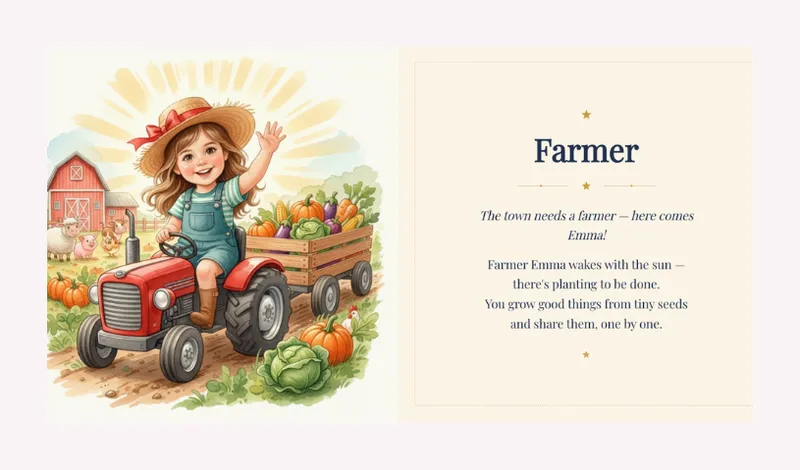
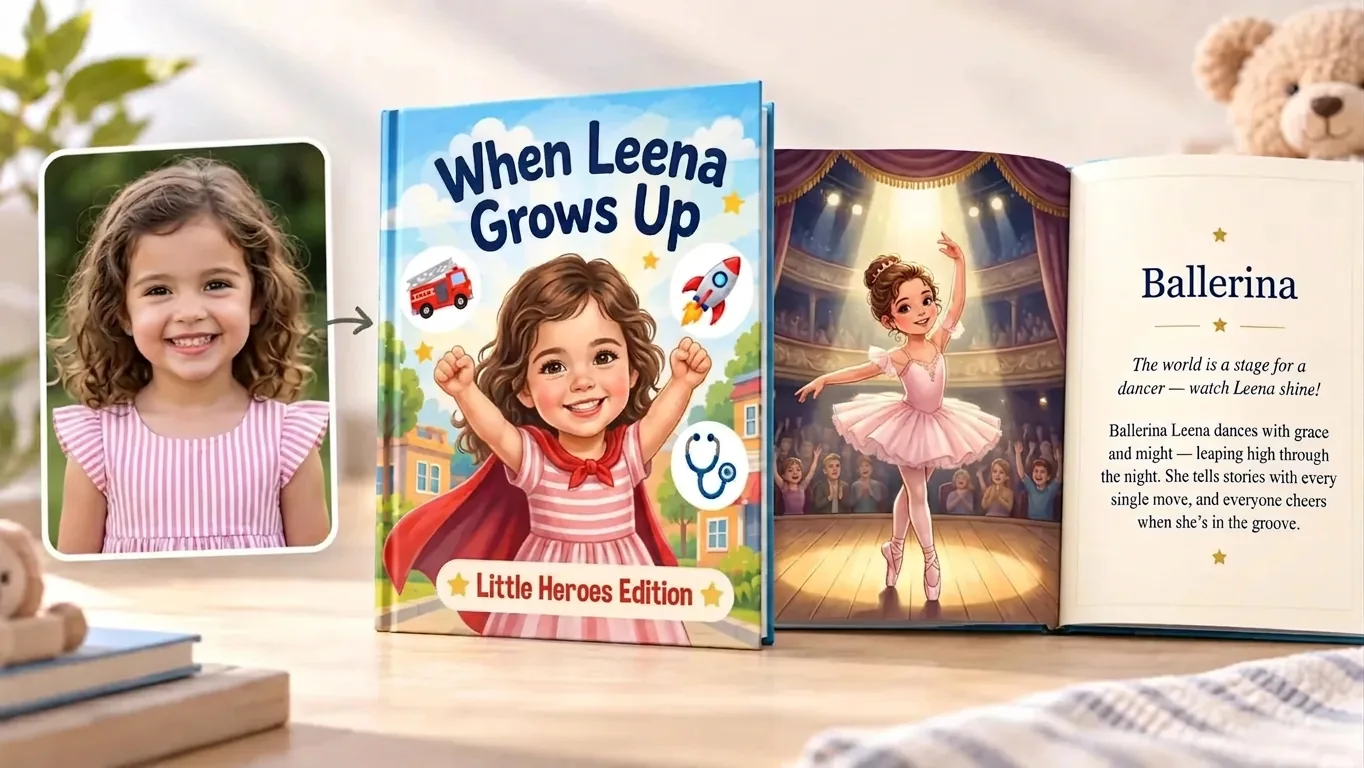
Astronaut. Doctor. Firefighter. Artist. Explorer.
Turn your child's photo, interests and dreams into a story about all the possibilities ahead.
Create a When I Grow Up Book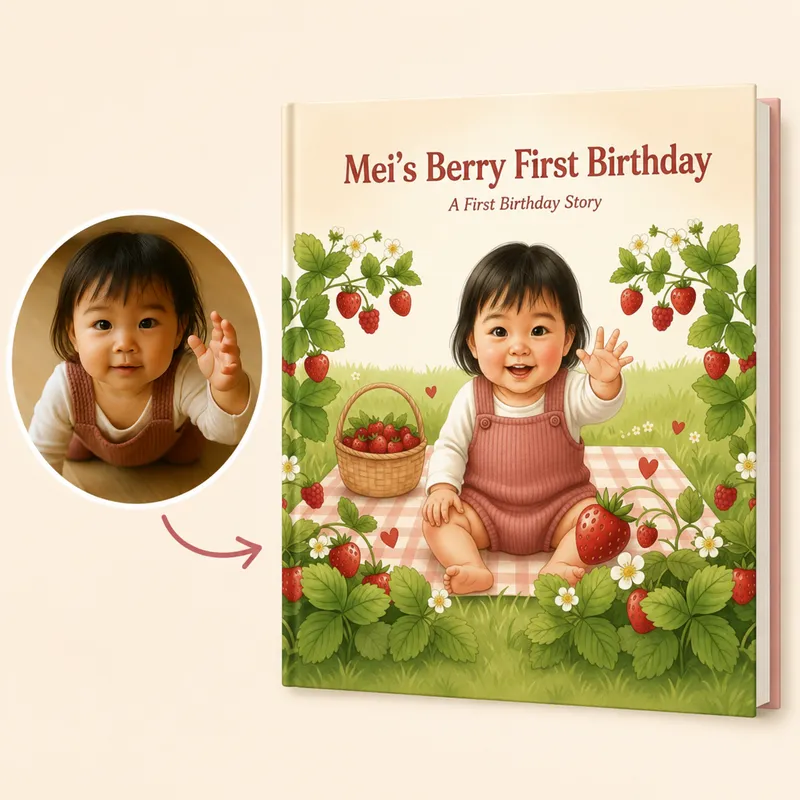
Capture bath times, cuddles, favorite foods, first words, family moments and all the tiny things you'll someday miss.
Include just your baby or bring Mom and Dad into the story too.
Create a First Birthday Book
Turn Grandma and her grandchild into illustrated characters and celebrate the memories, activities and little moments they share.
Create a Grandma Book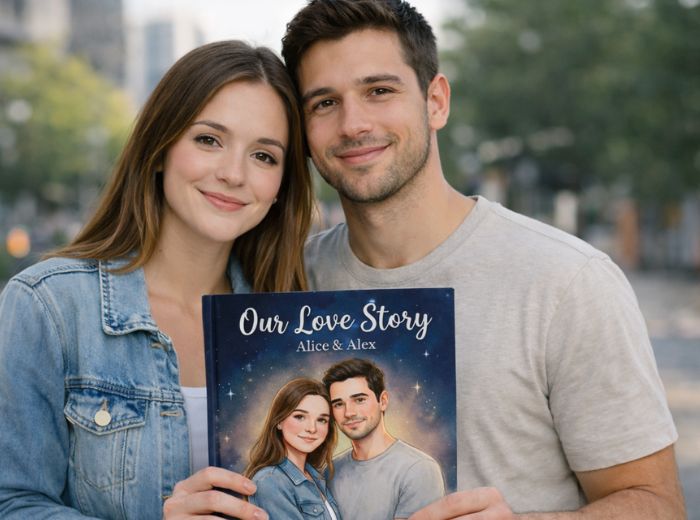
Upload your photos and share the memories that brought you together.
Turn your milestones, trips, inside jokes and favorite moments into an illustrated keepsake of your relationship.
Create Your Love StoryLooking for another occasion? Browse all personalized books.
A personalized book should feel personal. That's why we don't ask you to buy it without seeing what you're getting.
Upload a clear, well-lit photo where the person's face and features are easy to see. Avoid hats, sunglasses, heavy filters, blurry images and photos where part of the face is covered.
No. A clear photo taken on your phone usually works perfectly.
It depends on the book. Some books focus on one main character, while others allow you to include parents, grandparents, partners or other family members. We'll tell you exactly what type of photo to upload while creating your book.
Yes, for books that support multiple characters. You'll be asked to tell us who's who so the correct people can be included in your story.
Most books let you choose Watercolor, 2D Cartoon or Pixar-inspired illustrations, and some also offer Pencil Sketch. You'll see the styles available for your book when you create it.
Usually not. Your photo is used as a reference to create an illustrated storybook character inspired by the person's appearance.
You can preview your book and make changes before ordering. If something about the character doesn't feel right, you can revise the illustration rather than simply accepting the first result.
Yes. Review your personalized story and make changes before purchasing.
Yes. You can preview your personalized book before deciding to order it.
Yes, in books that support multiple characters. Depending on the story, you may be able to include parents, grandparents, children, partners and other family members.
A digital PDF is $14.99 and a printed hardcover keepsake is $49.99. Previewing your book is free.
Hardcover books typically arrive within 8 to 12 business days in the US, UK, Canada, Australia and India; for other destinations the estimate for your address is shown at checkout. The PDF is available to download straight away.
Start with a photo already sitting on your phone.
Add the little details that make someone unmistakably them.
We'll help you turn it into a story worth keeping.
Upload a photo · Personalize their story · Preview & edit · Order when you love it